More people than ever are exploring ways to work from home, and we completely understand why. The freedom to set your own work schedule, skip the commute, and design a workspace that actually makes you happy is hard to resist. Still, getting into a solid routine takes time and a little guidance.
That’s where we come in. In this guide, we’re sharing our favorite working from home tips to help you create a setup that keeps you productive, focused, and comfortable.
We’ll cover everything from must-have tools and daily habits to different types of remote jobs and how to start your journey. By the end, you’ll know how to work from home effectively.
What Tools Do You Need to Work from Home?
Before your brain is set up for focus, your space and tools need to support you. Here are essential pieces that help you work efficiently from home:
1. Reliable Computer / Laptop + Monitor Setup
Let’s be honest, your computer is the heart of your workday. If it’s slow or unreliable, everything else feels ten times harder. That’s why it’s worth investing in a dependable laptop or desktop that can handle your workload without hiccups.
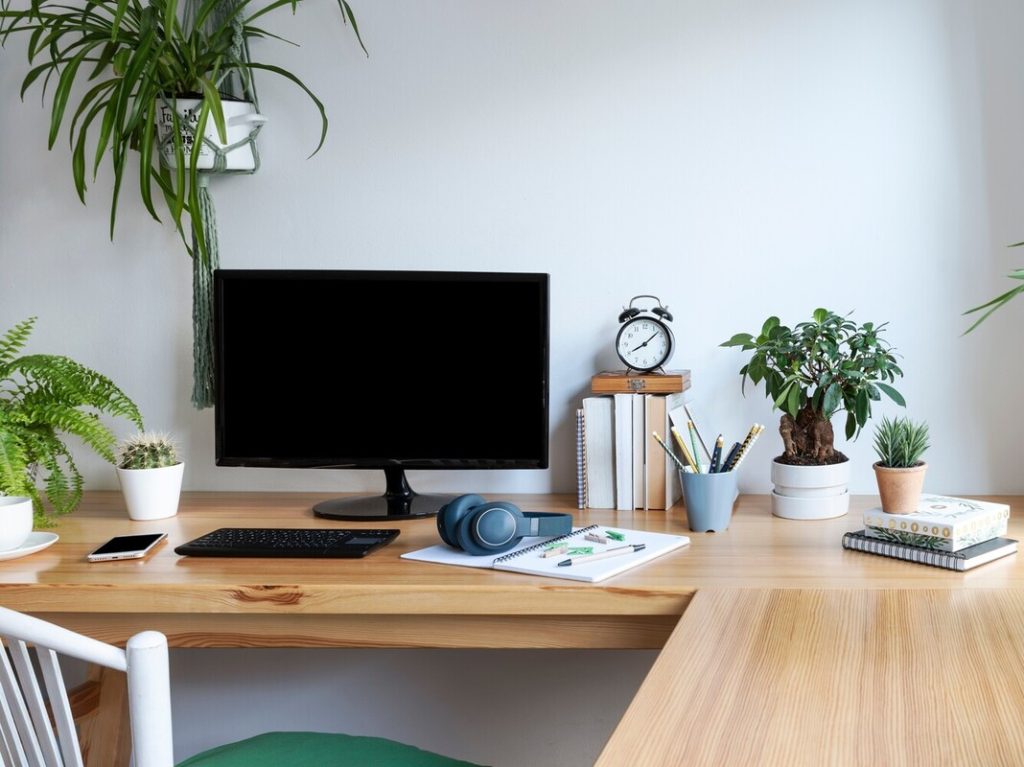
Many remote workers love using a computer monitor alongside their laptop to make multitasking easier and reduce eye strain. It’s amazing how much smoother proofreading or editing feels when you can keep reference material open on a second screen. When your setup works seamlessly, you’ll feel calmer, faster, and a whole lot more productive.
2. Strong, Stable Internet + Backup Plan
Few things are more frustrating than a frozen screen during an important file upload or client chat. A solid internet connection keeps your day running smoothly and your stress levels low. If your Wi-Fi tends to drop, upgrade your router or use a range extender to strengthen your signal.
It’s also smart to have a backup, like a mobile hotspot, for those rare but inevitable outages. A reliable connection keeps you connected, confident, and ready for anything. And in a home office environment, that kind of consistency makes all the difference.
3. Ergonomic Desk & Chair
A comfortable workspace changes the game when it comes to remote work. Sitting for hours in an unsupportive chair can leave you achy and unfocused, so an ergonomic one is super important.
Treat yourself to one that feels good for your back and posture. Pair it with a desk that fits your height and gives you room to spread out your materials.
If you want to mix things up, try a standing desk to stretch and move throughout the day. Little adjustments like these can do wonders for your comfort and even your mental health. When you feel good physically, it’s so much easier to stay upbeat and focused.
4. Good Lighting (Natural + Task Lighting)
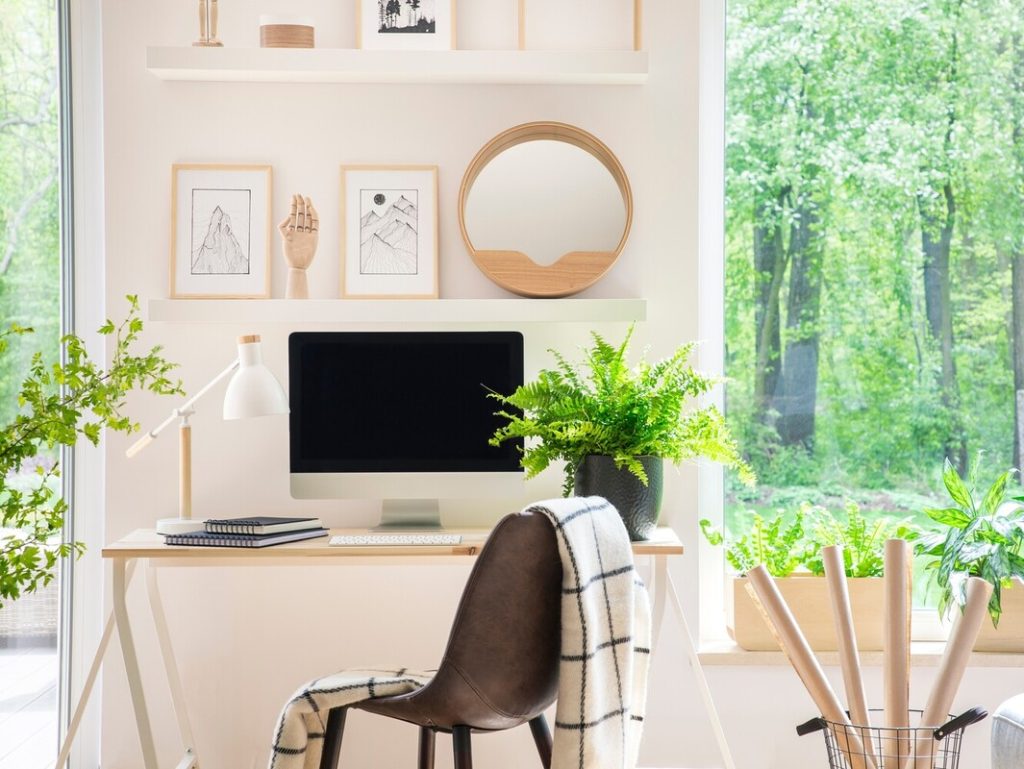
Good lighting can completely change your workday mood. Natural light helps boost your energy and focus, so if you can, set up near a window. When that’s not an option, add a bright but soft desk lamp to keep your space feeling fresh. Avoid glare on your screen, since that can lead to tired eyes and headaches.
The goal is a bright, welcoming office space that helps you feel alert and engaged. A simple lighting tweak can turn proofreading sessions from draining to delightful.
5. Headphones / Noise Control
Working from home has its perks, but background noise isn’t one of them. Whether it’s a barking dog, a busy street, or your neighbor’s playlist, distractions can creep in fast.
A good pair of headphones helps you tune it all out. Noise-cancelling ones are amazing, but even a comfy pair will do the trick.
They’re also perfect for video calls when you want clear sound and a professional vibe. Not everyone works best in silence, though, so feel free to experiment with soft music or white noise to find what helps you concentrate.
6. Software & Productivity Tools
The right tools make your day feel lighter and more organized. A task manager such as ClickUp helps you plan projects, and communication platforms like Slack keep you in touch with clients and colleagues. Cloud storage makes it easy to save and share documents without losing track of versions. We recommend Google Drive or Dropbox for most daily freelance work needs.
Proofreaders might also use grammar checkers like Grammarly or style guide apps to polish their work.
7. Backup + Storage + Data Safety
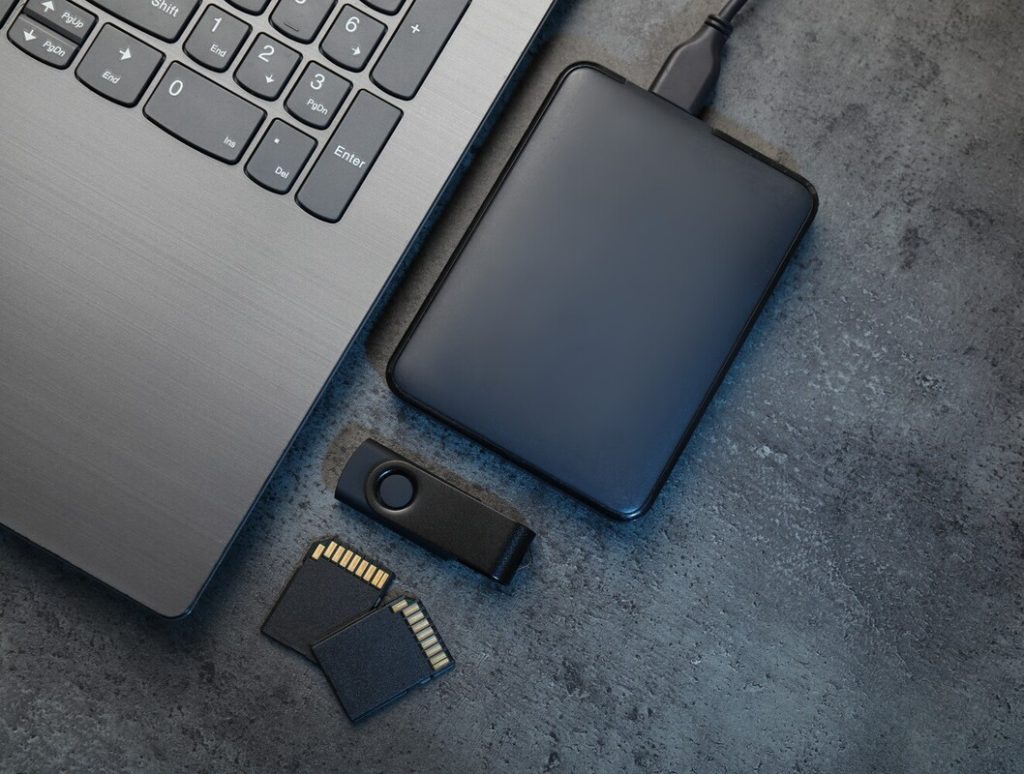
We’ve all had that heart-sinking moment when a file goes missing, so let’s avoid that altogether. Automatic cloud backups and external drives are your best friends here. They quietly protect your hard work behind the scenes.
For an extra layer of protection, use a VPN (Virtual Private Network) and antivirus software, especially if you handle client materials.
Platforms like Google Docs have essential version control tools, which are crucial if you’re editing multiple drafts of a document.
Keeping your files safe means you can focus on what matters most: doing great work in your dedicated workspace without worrying about tech surprises.
Top 10 Working from Home Tips
Having the right tools gives you the foundation, but now you need habits and strategies. Here are our top working from home tips:
1. Establish a Routine and Stick to It
A little structure goes a long way when you’re working remotely. Create a morning routine that sets the tone for your day, whether that’s making coffee, reviewing your schedule and deadlines, or playing your favorite music.
Try to start and end work around the same time each day. Give yourself a real lunch break and avoid skipping meals just to finish a task.
Over time, that consistency helps your body and brain stay in sync. You’ll feel calmer, think more clearly, and find it easier to keep a better work-life balance without burning out halfway through the week.
2. Set Boundaries Between Work and Your Personal Life
One of the hardest parts of working from home is separating your job from your personal life. It’s tempting to check one last email at night or do a “quick task” after dinner.
The truth is, boundaries protect your focus and your sanity. Set clear work hours and let family members or roommates know when you’re unavailable.
Use simple cues, like closing your laptop or stepping away from your desk, to mark the end of your day. Those little habits help you protect your personal time and enjoy your evenings without the guilt of unfinished tasks hanging over you.

3. Time Block & Use Focus Periods
Time blocking is one of those habits that completely changes how your day flows. Try dividing your schedule into chunks for specific tasks, like proofreading in the morning and admin work in the afternoon.
Scheduling time for each task helps you avoid jumping between too many things at once. Productivity apps like Forest or Focus To-Do make this even easier, reminding you when to start or take breaks.
It’s also helpful to leave small gaps between blocks to stretch, drink water, or breathe. A clear plan keeps your day on track and gives you more control over your energy.
4. Tackle High-Priority Tasks Early
The earlier you start your most demanding work, the easier it feels. That morning energy is precious, so use it wisely. Handle projects that require the most focus first, such as editing or client deadlines.
Once those are done, the rest of the day feels lighter and more manageable. Keep afternoons for easier tasks, like organizing emails or updating your planner.
This small shift can make every following day run smoother because you’ll begin it with fewer loose ends. You’ll also feel more accomplished, which boosts motivation and confidence for the rest of the week.
5. Overcommunicate & Stay Connected
When you’re part of remote teams, communication becomes your secret weapon. Without in-person chats, it’s easy to feel disconnected, so make an effort to stay in touch. Send quick updates, share progress, and ask questions early.
If you’re proofreading, confirm whether you’re working in Google Docs or another format to avoid confusion. Regular check-ins help everyone stay aligned and avoid last-minute mix-ups.
Don’t wait for someone to reach out first. Staying connected builds trust and makes collaboration feel natural, even when you’re miles apart. It also keeps your workday more social and enjoyable.

6. Take Breaks for Your Mental Health
You’re not a machine, and your brain needs a breather every now and then.
Take regular breaks to move around and get your blood flowing. Stand up, stretch your neck, refill your water, or step outside for a few minutes of fresh air. Even a quick walk or stretch session improves focus and energy.
Physical activity throughout the day keeps you feeling alert and reduces tension from sitting too long. These pauses might seem small, but they make a big difference in how much you get done. You’ll return to your desk feeling refreshed and ready.
7. Limit Notifications & Distractions
You know that feeling when your phone buzzes for the tenth time in an hour? That’s your focus slipping away.
Digital distractions can easily steal half your day before you notice. Turn off unnecessary alerts, close extra browser tabs, and set your phone to silent during focus blocks.
If possible, schedule short periods of time to check messages or social media so you stay in control. Fewer interruptions mean deeper concentration and higher-quality work. Protect your quiet time fiercely, and you’ll be amazed by how much smoother your day feels from start to finish.
8. Find Your Productivity Window
Everyone has their golden hours of focus when they have the most energy. For some, it’s early in the morning with a quiet cup of coffee. For others, creativity peaks later in the afternoon. Pay attention to when you feel most alert and use that time for demanding work. Save smaller, repetitive tasks for slower periods.
You’ll find yourself finishing things faster and with fewer mistakes. This kind of self-awareness helps you create a better work-life balance, too. You’ll spend less time forcing focus and more time working in sync with your natural rhythm.

9. Create Rituals for Starting & Ending
Simple routines can make your workday feel smoother from start to finish. Start with a small ritual that tells your brain it’s time to work, like lighting a candle, checking your planner, or tidying your desk. When you’re done for the day, power down your laptop and do something enjoyable.
Maybe take a walk, cook dinner, or grab a snack at your favorite coffee shop. These moments help you unwind and mentally switch gears. Over time, these habits signal clear boundaries between work and relaxation, making it easier to enjoy both parts of your day.
10. Monitor Your Energy, Not Just Time
Pay attention to how you feel throughout the day, not just how many hours you’ve worked. If your eyes are tired or your shoulders ache, take a quick stretch or short walk. That small burst of movement can prevent strain and help you avoid painful injuries over time.
Your energy levels are a guide, not a limit. Adjust your schedule when you notice patterns of fatigue or stress. Add breaks, shift focus, or plan light tasks for slower moments. By listening to your body, you’ll create a routine that supports long-term well-being and consistent focus.
What Type of Work Can You Do from Home?
If you wonder “What jobs are possible online?”, there’s a wide spectrum. Here are some of your top options:
- General proofreading
- Transcript proofreading
- Editing
- Writing, copywriting, and content creation
- Virtual assistance
- Transcription
- Graphic design or web design
- Customer or chat support
- Data entry, research, and analysis
Proofreading is a strong entry point: you need minimal startup costs beyond your computer, you can manage your workload, and there’s ongoing demand. Many people get started in proofreading and then expand into related contract writing or editing gigs.
Remote work isn’t limited to “creative” fields. Many offices now hire remote staff in accounting, HR (Human Resources), marketing, and project management. The key is adapting your discipline and communication to virtual settings.

How to Start Working from Home
Ready to make the leap? Here are remote working tips for a path you can follow, especially if you want to break into proofreading or a similar role:
- Train & learn: Start with structured training. At Proofread Anywhere, we teach the mechanics of professional proofreading, client interactions, pricing, and more for both general proofreading and transcript proofreading. Good training speeds your learning curve and helps you avoid mistakes.
- Build a portfolio: Volunteer or do low-priced or sample jobs to build proofread samples. Offer to proofread a friend’s blog posts or local nonprofit newsletters.
- Set up your workspace & tools: Use the tool checklist above. Be ready to present a professional setup to clients.
- Create an online presence: Build a website or use LinkedIn and freelance platforms like Freelancer or Upwork to showcase your services, rates, and sample work.
- Find clients & work: Try cold outreach, content marketing, joining freelance job boards, or using peer networks. Proofreaders often start with small clients, then grow into retainer or recurring work.
- Set contracts & terms: Always have clear agreements: scope, turnaround times, revision policy, and payments. This protects both you and the client.
- Deliver quality & ask for referrals: Reliability and accuracy are your best marketing tools. Ask satisfied clients for referrals and testimonials.
If you’re curious, our Work-at-Home Survival Guide helps people get from zero to a sustainable home-based career (and avoid scams).
Conclusion
Working from home can truly open up new possibilities for flexibility, focus, and balance when you have the right tools, habits, and mindset. With a solid setup, clear boundaries, and smart daily routines, you can build a career that fits your lifestyle while staying productive and fulfilled.
From choosing the right workspace essentials to finding a field that matches your skills, there’s no shortage of ways to thrive remotely. With our working from home advice, you’re sure to find success no matter what type of role you take on.
If you’re ready to turn your work-from-home goals into reality, start by enrolling in a Proofread Anywhere course and learn how to build a flexible, rewarding career from home.
These tips are handy! I especially like the advice about having a solid computer setup and ergonomic furniture; small changes like that really make working from home so much easier and more comfortable.
Absolutely! A good setup really makes a big difference in comfort and productivity. 🙂
Your tips for working from home are incredibly insightful and practical! Establishing a routine, setting boundaries, and prioritizing communication are essential strategies that can significantly enhance productivity and well-being.
With a solid setup, clear boundaries, smart daily routines, you can build a career that fits your lifestyle while staying productive and fulfilled.
Absolutely! Establishing a strong routine and clear boundaries is key to creating a productive and fulfilling career that fits your lifestyle.
This guide offers practical tips for remote work success, from ergonomic setups to essential tools. It's a must-read for freelancers and home workers aiming for productivity.
Great article with practical working-from-home tips—love the focus on routines, boundaries, and staying productive! These are spot-on for anyone building a remote career.
I am working from home, thanks for the helpful tips!
Look, most of this is common sense. Set routines and take breaks, got it. But honestly, if you can’t separate work from home life, you're gonna struggle hard—no tip can fix that.
Thank you for sharing your perspective. Routines and boundaries can look different for everyone, and we appreciate you adding to the conversation.
This is a really helpful breakdown, especially for people who are new to working from home. I like how it doesn’t just focus on tools, but also on habits like setting boundaries and paying attention to your energy levels – that part really resonated with me. It feels practical and realistic, not just “wake up early and be productive,” which is refreshing.
Thank you for your feedback! We’re glad the breakdown felt practical and resonated with you, especially the focus on habits and boundaries.
Excellent tips for remote work! Creating a dedicated workspace really does improve productivity.
Great advice. I've learned the hard way not to scrimp on the computer, or a chair that would make Captain Kirk jealous. Plus, I used to swear by a couch in my office, but now I've upgraded to a recliner. Sometimes I just read my stuff on paper and mark it up with a pen, for the change of perspective
Thanks for posting this. It clarified a few things I was unsure about.
I'm currently working from home, and these tips are incredibly helpful!
Really enjoyed these working‑from‑home tips so many practical ideas for staying focused and productive!
Fantastic tips for anyone starting or growing a work-from-home routine! Loved how practical and easy to implement each suggestion is especially the focus on setting boundaries and creating a dedicated workspace.
"This is such a practical guide! 💻🏡 I love how it shares actionable tips for working from home—perfect for staying productive, focused, and balanced in a remote setup."
"Love this! 🌟🏠 These tips make working from home feel so much easier and manageable—super helpful advice for anyone looking to boost productivity and stay organized!"
This is a very comprehensive guide — I like how it balances both the technical setup (tools, backups, ergonomics) and the behavioral side like routines and boundaries. The point about monitoring energy instead of just time really stands out, because that’s something many remote workers overlook when trying to stay productive long term.
I’ve noticed that the rise of flexible online work has also expanded into digital industries beyond traditional freelancing, showing how diverse remote opportunities have become. Resources from Proofread Anywhere like this make it much easier for beginners to understand what a sustainable work-from-home workflow actually looks like.
Great breakdown overall — practical, realistic, and very helpful for anyone building a focused remote routine.
Thank you for such thoughtful feedback! We’re glad the balance between practical setup and sustainable routines resonated with you. 🙂
Great article! Thanks for sharing. I really enjoyed reading this!
Great tips for working from home! I especially liked the advice on setting up a productive workspace and creating a solid routine. It's so helpful to skip the commute and work comfortably.
The mention of a reliable computer really hit home for me. It's one of those things you don't fully appreciate until it's slow or crashing during an important task. And let's not forget the importance of a comfortable chair, sitting all day can be a real pain, literally!
A real advice in this blog for working from home as a freelancer or proofreader.
This is a solid introduction for people new to working from home. It covers the basics clearly without overcomplicating things. I like how it starts with mindset and then moves into practical setup.
I'll definitely bookmark your article and return at some point. I'd want to encourage you to keep writing your excellent writings.
Thank you! I’m glad you found it helpful and appreciate your encouragement to keep writing. 🙂
Such practical and realistic tips for working from home! I especially appreciate the advice on setting boundaries and creating a productive environment it makes such a difference. Thanks for sharing these helpful strategies!
We’re glad you found the tips useful! Setting boundaries and creating a productive space really can make all the difference when working from home. 🙂
I found this essay to be quite engaging. I am extremely appreciative of your assistance.
Investing in a reliable computer is spot on, as I’ve experienced that firsthand-when my old laptop used to lag, it was frustrating. A sturdy internet connection and ergonomic chair are vital too; they truly make a difference in daily productivity. Who knew a simple desk lamp could transform your work mood?
These WFH tips are gold for productivity and balance!
The information is well-written and easily comprehensible, and your work is exceptional. I will be returning upon a regular basis to ascertain your response.
I really like working from home.
Great tips for staying productive while working from home. Creating a dedicated workspace and maintaining a routine can make a huge difference in focus and work-life balance.
I have read countless articles on this matter, yet your explanation felt particularly clear, engaging, and refreshingly different.
A useful overview of work-from-home tips, focusing on building a productive routine, using the right tools, and creating a comfortable setup for remote work.
These tips are spot on! I’ve found that setting boundaries really helps; it’s so easy to let work bleed into personal time.
A comfortable home setup is definitely essential for maintaining focus throughout the day.
A comfortable home setup is definitely essential for maintaining focus throughout the day.
Really solid advice! Investing in a good chair and a second monitor completely changed the game for my work-from-home setup. Thanks for sharing!
Great tips, especially the emphasis on building a comfortable and reliable home workspace. I think the biggest takeaway is that working from home successfully isn’t just about having the right equipment—it’s also about creating a routine that separates work time from personal time. A dependable internet connection, ergonomic setup, good lighting, and clear daily boundaries can make a huge difference in productivity and overall well-being. The reminder about having a backup internet option is particularly practical for anyone working with clients or remote teams.
Glad I came across this article. I’ve been looking into Verity Mod Guide lately, and the Verity Mod Guide site seems like a practical option. This gave me a few good ideas.
This guide makes remote work feel manageable by connecting productivity with well-being. The reminders about boundaries, energy, and regular breaks are especially valuable.
I love how this guide focuses on the practical side of working from home rather than just the freedom it offers. A reliable computer and second monitor can make a huge difference, especially when multitasking, editing, or keeping reference materials visible. Building a comfortable workspace and consistent routine really can turn remote work into a more productive and enjoyable experience.
Great tips, especially the focus on creating a dedicated workspace with good lighting, an ergonomic chair, and fewer distractions. These details really can make working from home more comfortable and productive, rather than making the home office feel like just another desk in the house. I also like the reminder that a consistent routine and clear boundaries are just as important as the physical setup.
A comfortable home setup is definitely essential for maintaining focus throughout a day.
These tipcs are really amazing and help me a lot. Thanks for sharing.
The tip about designing a workspace that actually makes you happy is spot on—moving my desk near a window completely changed my focus. And you’re right that the routine takes time; it took me a full month to find a rhythm that stuck.
This guide offers practical advice for anyone looking to build a successful work-from-home routine. I especially like the emphasis on having the right equipment, because a reliable computer and an additional monitor can make multitasking much easier while improving overall comfort. Combining a well-organized workspace with consistent habits can make remote work more productive, focused, and enjoyable.